The professional scanner and PDF editor for iPhone
Scan documents into clean PDFs, turn them into searchable text, then sign, edit, convert and share. Every PDF tool in one app.
Free for iPhone and iPad · iOS 17 or later · No account
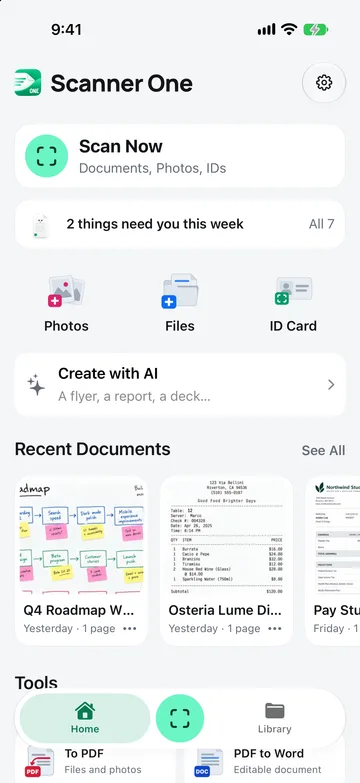
All the PDF tools you need in one place
Scan, convert, edit and protect, on your iPhone, without uploading your files to a website.


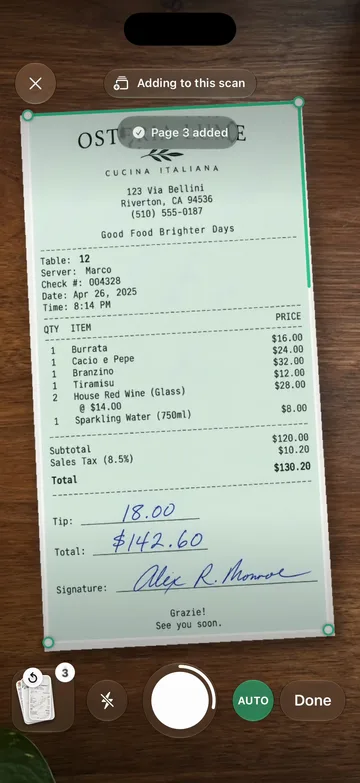
Scan anything into a clean, sharp PDF
Scanner One finds the page's edges, corrects the angle and removes shadows and the desk behind it. Filters fit the paper: receipts, whiteboards, faded ink, colour.
- Multi-page scans in one PDF, in any order
- Book spreads split into two pages, curved lines flattened
- ID cards and passports, both sides on one printable page
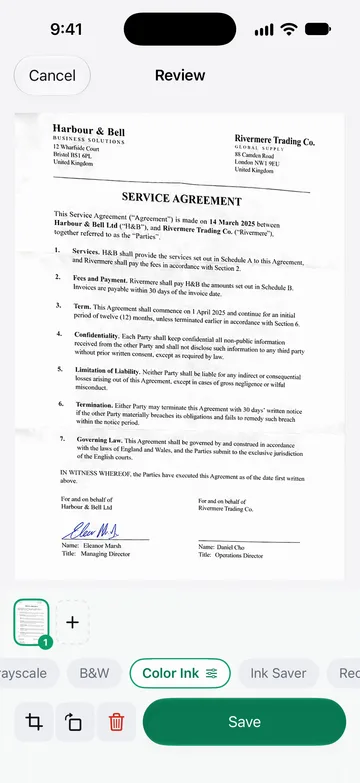
OCR that makes every scan searchable
Text recognition runs on your iPhone in 29 languages. Search finds a word inside any page, copy text from a photo, and keep searchable PDFs that work in any app.
- Image to text, or just the part you select
- QR codes and business cards read from the page
- Any document read aloud
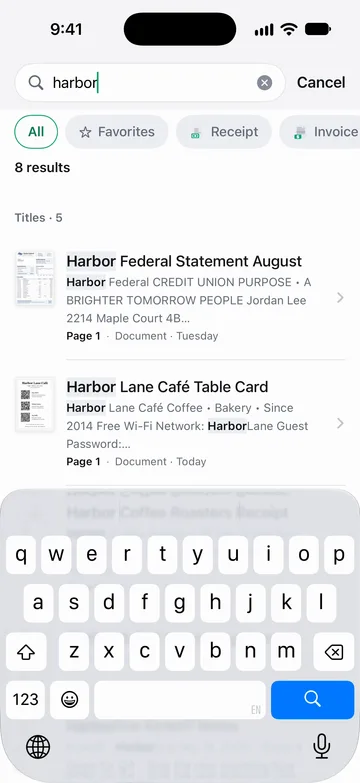
Edit, sign and fill PDFs
Add your signature, type into forms, highlight, write and draw. Remove marks and handwriting from a scan, reorder and rotate pages, and fix a line of text in place.
Sign and fill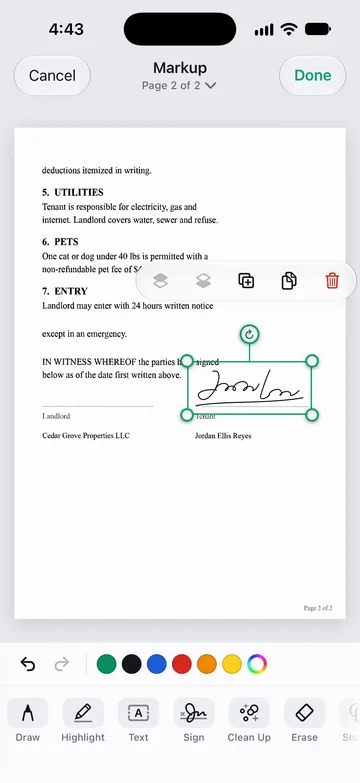
Convert PDF to Word, Excel, PowerPoint and JPG
Export to the format the other person needs. Word keeps headings, lists and tables, so you can edit instead of retyping. Office files and photos become PDFs just as easily.
PDF tools and converter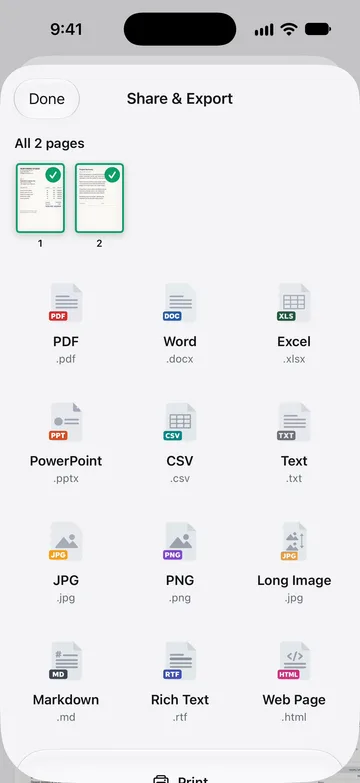
AI that reads your documents
Scanner One pulls out the totals, due dates and expiry dates, and gathers what needs you this week. Ask a question about any document and get the answer with the page it came from.
Needs You, Packs and What changed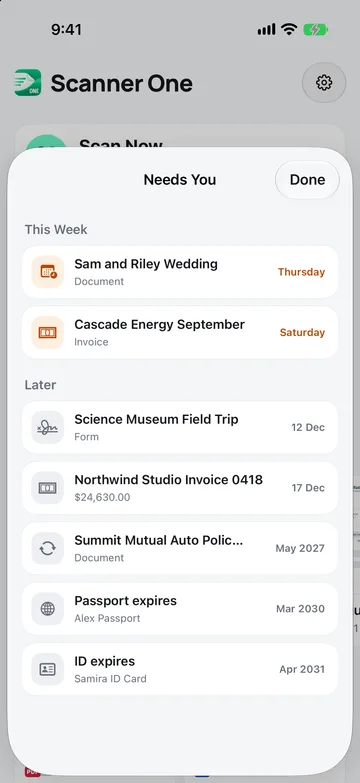
Built for work, school and everyday paperwork
Work
Contracts, invoices and receipts, signed and filed.
School
Notes, books and boards, searchable later.
Home and paperwork
Forms, letters and records, ready to send.
IDs and travel
Cards and certificates, copied the way offices ask.
Private and secure by design
Your documents stay on your iPhone. No account, no tracking, and nothing uploaded unless you choose to.
Free to start. Pro when you need more.
Scanning, PDFs and text search never stop on the free plan.
Free
$0
- Unlimited scans, PDFs and OCR search
- Sign and mark up 3 documents a month
- PDF tools and Office exports 3 times a week
Pro
$29.99 a year, first week free
- Every tool without limits, no watermark
- Compare versions, Packs, fill forms from your documents
- Or $4.99 a month, or $59.99 once
Questions
Is Scanner One free?
Yes. Scanning, saving PDFs, text recognition and search have no limit on the free plan. Signing, the PDF tools and Office exports have free monthly or weekly allowances. Pro removes every limit: $4.99 a month, $29.99 a year with a free week, or $59.99 once.
Does it work without an internet connection?
Yes. Scanning, text recognition, search and the PDF tools run on your iPhone. Only cloud AI needs a connection, and it stays off until you switch it on.
Which formats can I export?
PDF, Word, Excel, PowerPoint, CSV, plain text, JPG, PNG, a long image, Markdown, Rich Text and a web page.
Which languages can it read?
Text recognition reads 29 languages, on the device. The app itself is in 34 languages.
Does it work on iPad?
Yes, on iPhone and iPad with iOS 17 or later.
Where are my documents stored?
On your iPhone. They leave it only when you share them, turn on iCloud Sync (your own private iCloud), or use cloud AI. There is no account.