Markup is one editor for everything you put on a page: signatures, text, highlights, pen, shapes and ticks. It works the same on a scan and on a PDF someone sent you.
Signatures
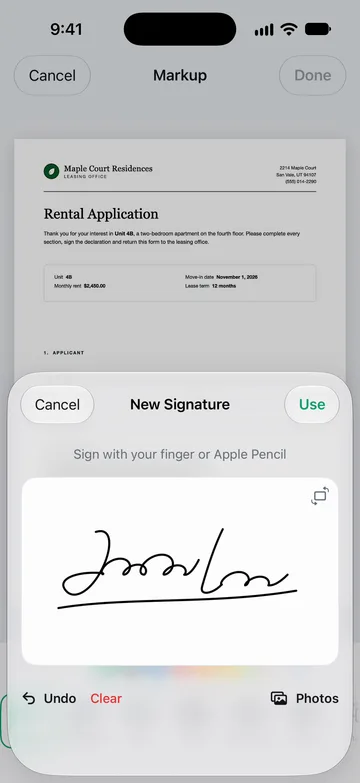
Tap Sign and write on the pad with a finger or Apple Pencil. If you’d rather use your real pen signature, tap Scan, sign plain paper and photograph it: Scanner One lifts the ink off the paper, so only the signature is placed. Saved signatures are a tap away next time, and Every Page puts your initials on each page of a long contract.
Forms
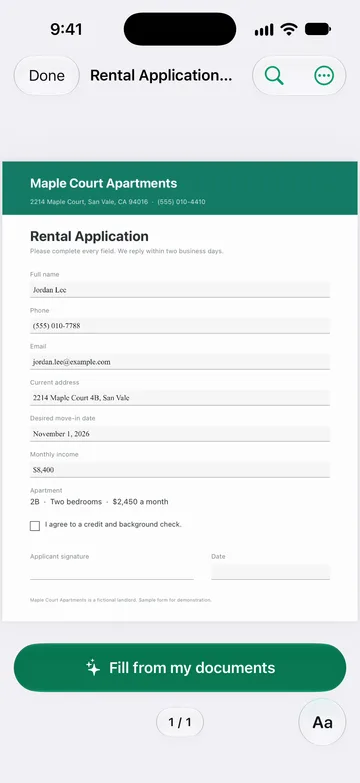
A PDF with form fields opens with Fill Form in front. Type into each field, then share the filled PDF. With Pro, Scanner One can fill a form from your own documents, and show where each answer came from.
Fixing a page
- Clean Up removes a coffee ring, a stray mark or handwriting from a scan, and fills in the paper behind it.
- Edit Text (Pro) retypes a line of a PDF in place.
Signing and markup are free for 3 documents a month, and Clean Up for 3 documents a month. Pro removes both limits.